Salesforce Spring ’26 Is Here: 8 Updates Worth Your Attention
Every Salesforce release promises innovation, but when you’re working hands-on with clients every day, the real question is: what will actually make things easier for you and your team? As a consultant supporting Salesforce implementations, optimizations, and ongoing managed services, I look for changes that reduce admin overhead, improve governance, and create better experiences for users without adding unnecessary complexity.
Here are the 8 Salesforce Spring ’26 Release Highlights I’m most excited to put into practice with clients.
1. Smarter File Deletion Permissions
1. Smarter File Deletion Permissions
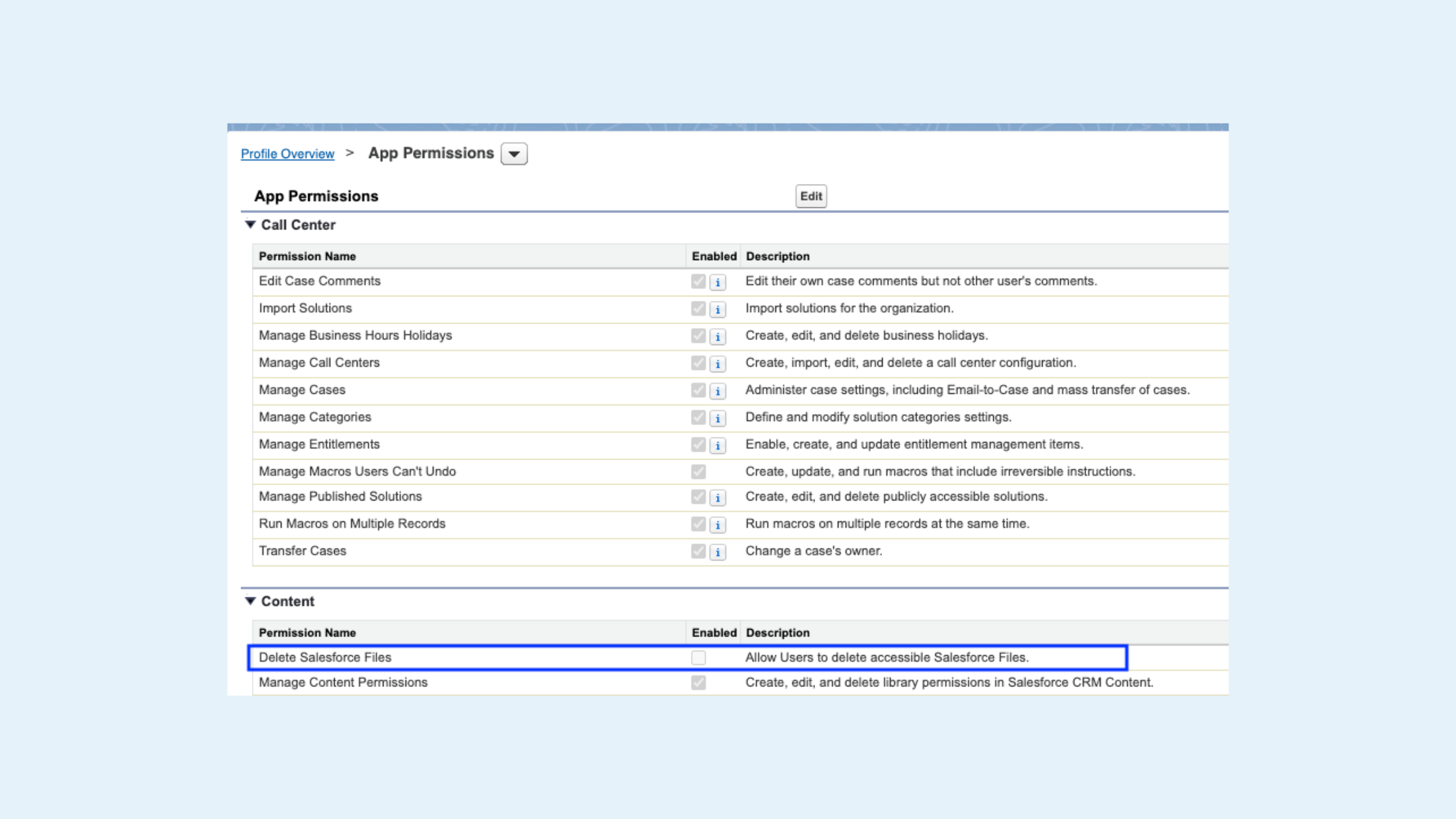
What’s new: You can now grant file deletion rights without giving users the all-powerful Modify All Data permission.
My take: File cleanup has always been a balancing act. Either users couldn’t delete outdated files, or they were given permissions that opened the door to far more than intended. The new Delete Salesforce Files permission gives admins much-needed control while keeping data governance tight. Salesforce Release Notes.
Where I see this helping most:
Teams with shared ownership of documents
Orgs doing regular storage cleanup
Nonprofits and SMBs with lean admin teams
2. Field History Tracking Grows Up (200 Fields!)
2. Field History Tracking Grows Up (200 Fields!)
What’s new:
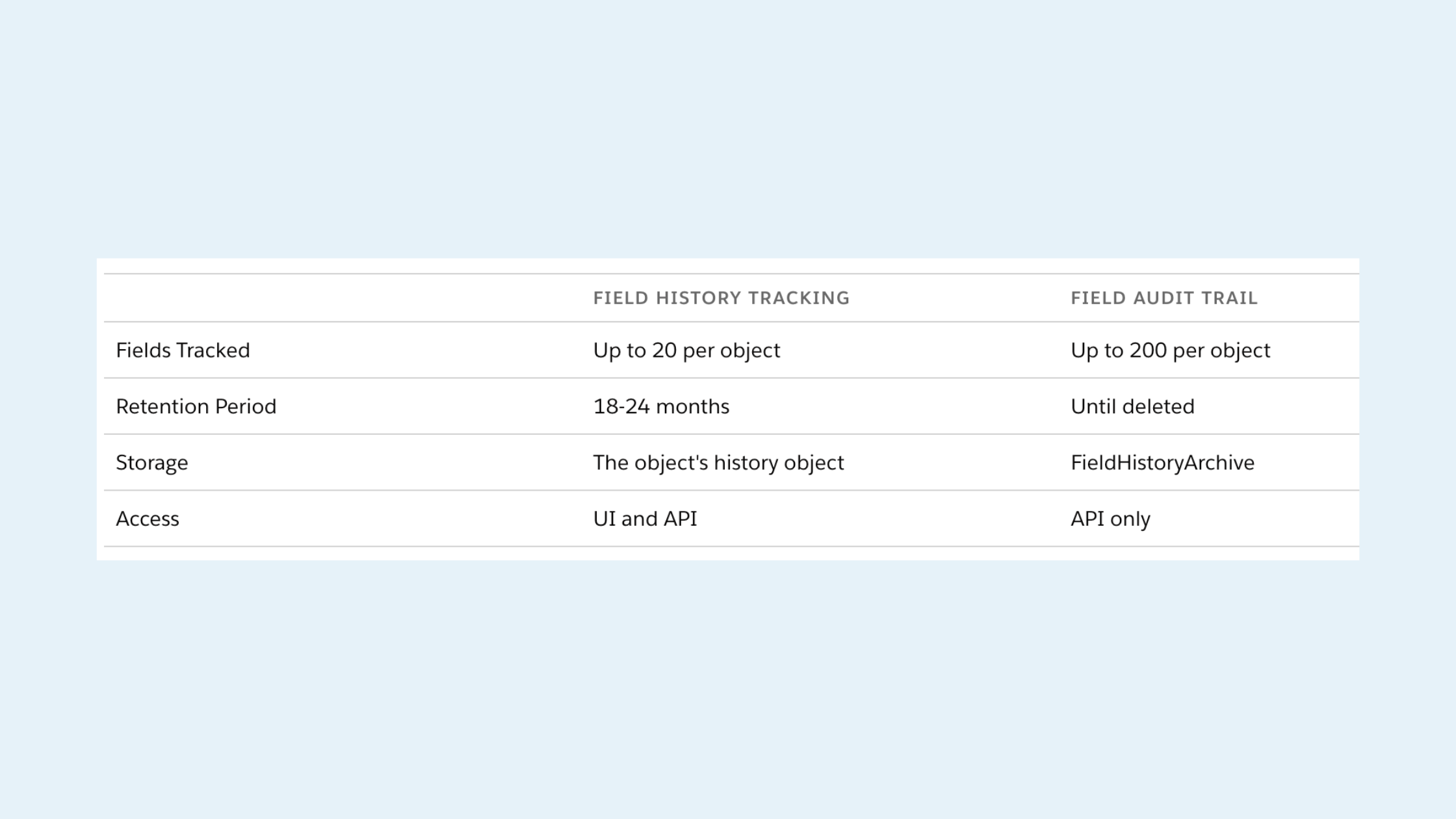
Track up to 200 fields per object (up from 60) with Salesforce Shield or Field Audit Trail
New Field History Explorer to download metadata and revert tracked changes
My take: Auditing no longer has to be selective to the point of being risky. This is a big win for regulated industries and any org that needs stronger visibility into data changes over time. This dramatically improves post-incident investigations and reduces the “we wish we had tracked that field” problem. Salesforce Release Notes.
3. User Field History Tracking (Beta)
3. User Field History Tracking (Beta)
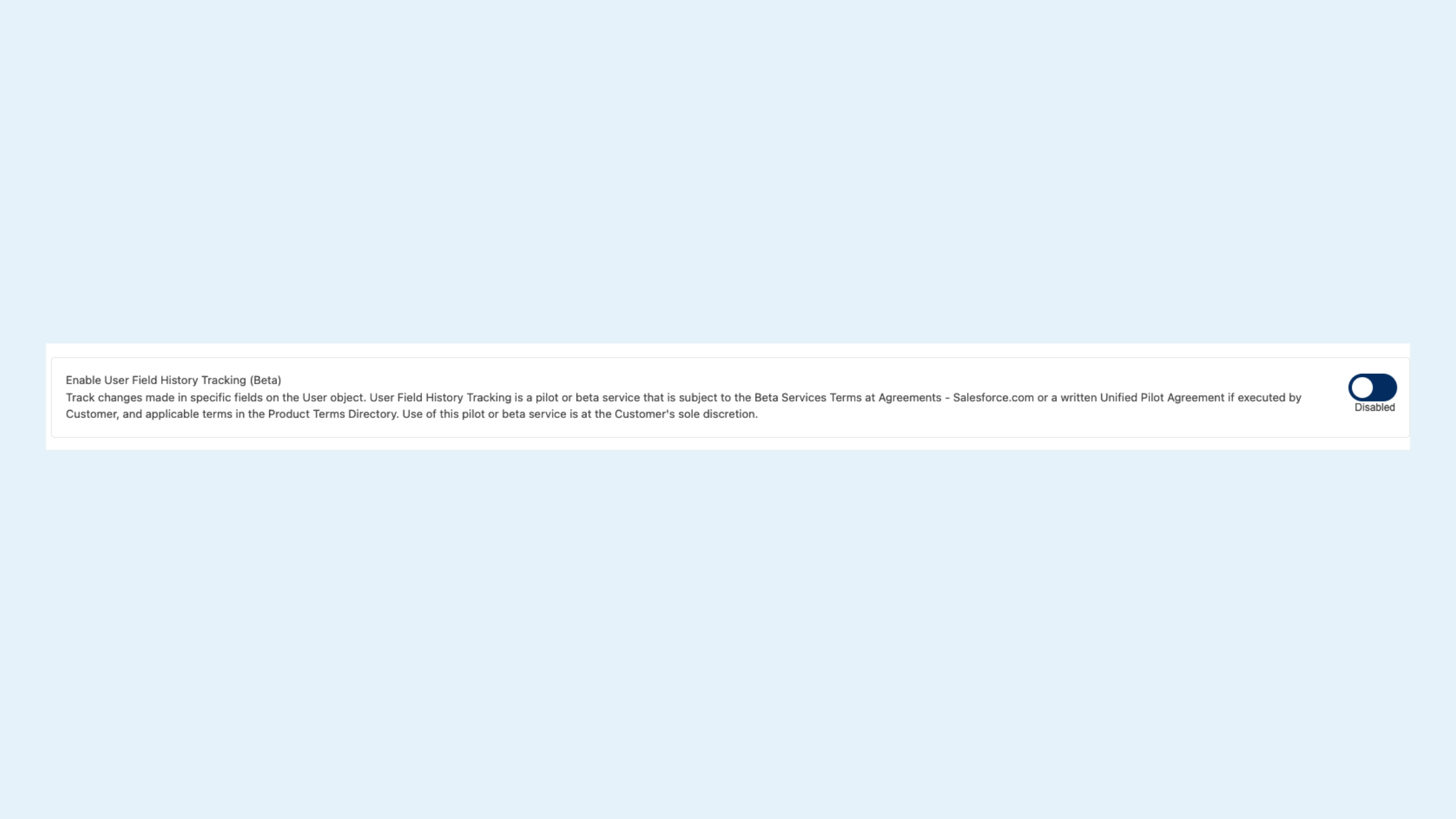
What’s new: Admins can now track changes made to user records themselves, visible directly from the user’s access summary page.
My take: User access changes are often the hardest to audit retroactively. This feature brings much-needed transparency for security reviews and compliance checks. A best use case is for organizations with frequent role changes, contractors, or strict access requirements. Salesforce Release Notes.
4. The Error Console = Fewer “Something’s Broken” Tickets
4. The Error Console = Fewer “Something’s Broken” Tickets
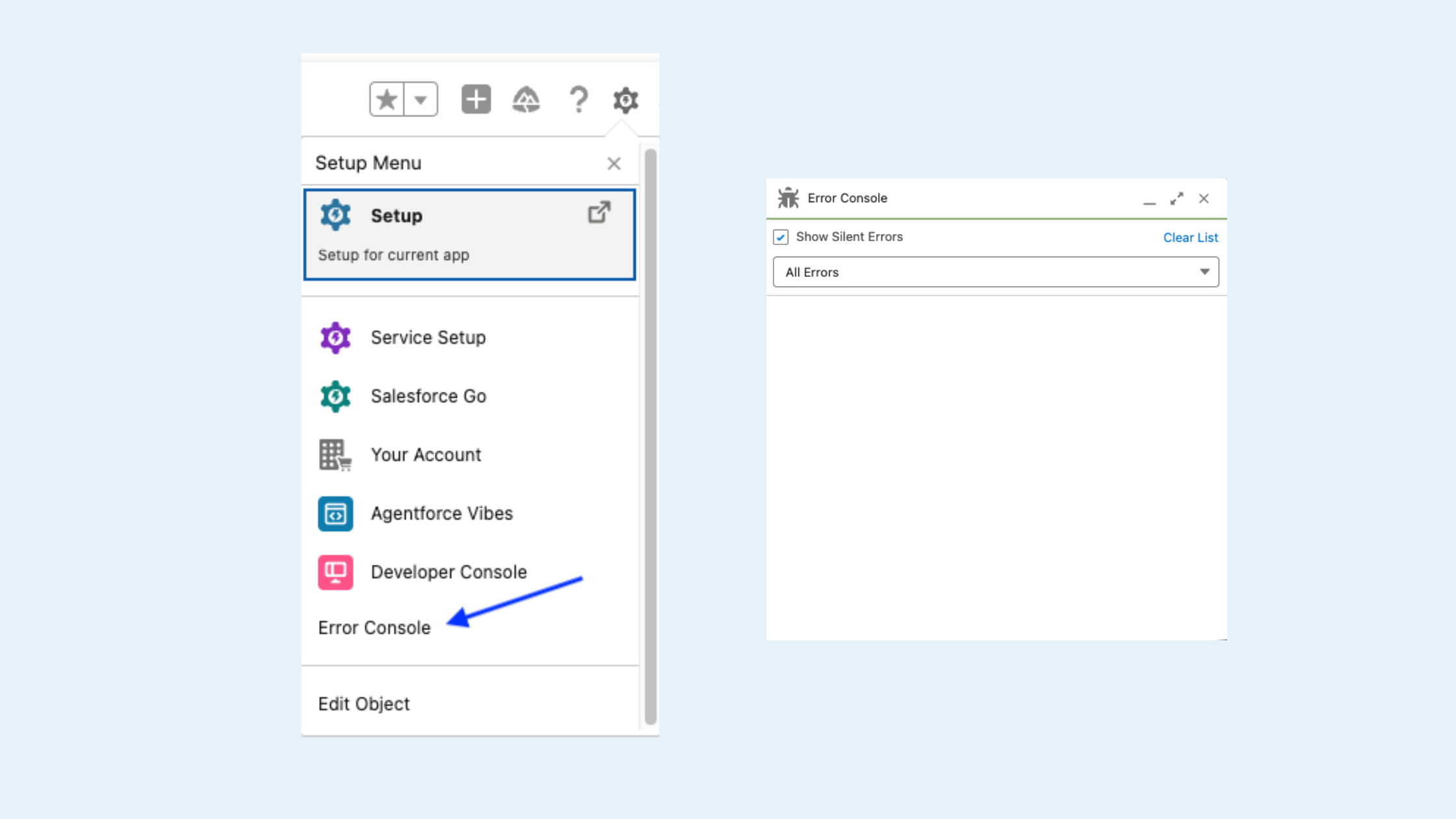
What’s new: The Error Console surfaces non-fatal Lightning errors that previously went unseen.
My take: Not all errors crash a page, but they still frustrate users. Now admins can identify and resolve recurring issues before they turn into support tickets. This is huge for managed services teams monitoring org health proactively instead of reactively. Salesforce Release Notes.
5. Reporting & Sharing Gets Less Clunky
5. Reporting & Sharing Gets Less Clunky
What’s new: Two small changes, big impact:
Preserve report settings when adding reports to dashboards
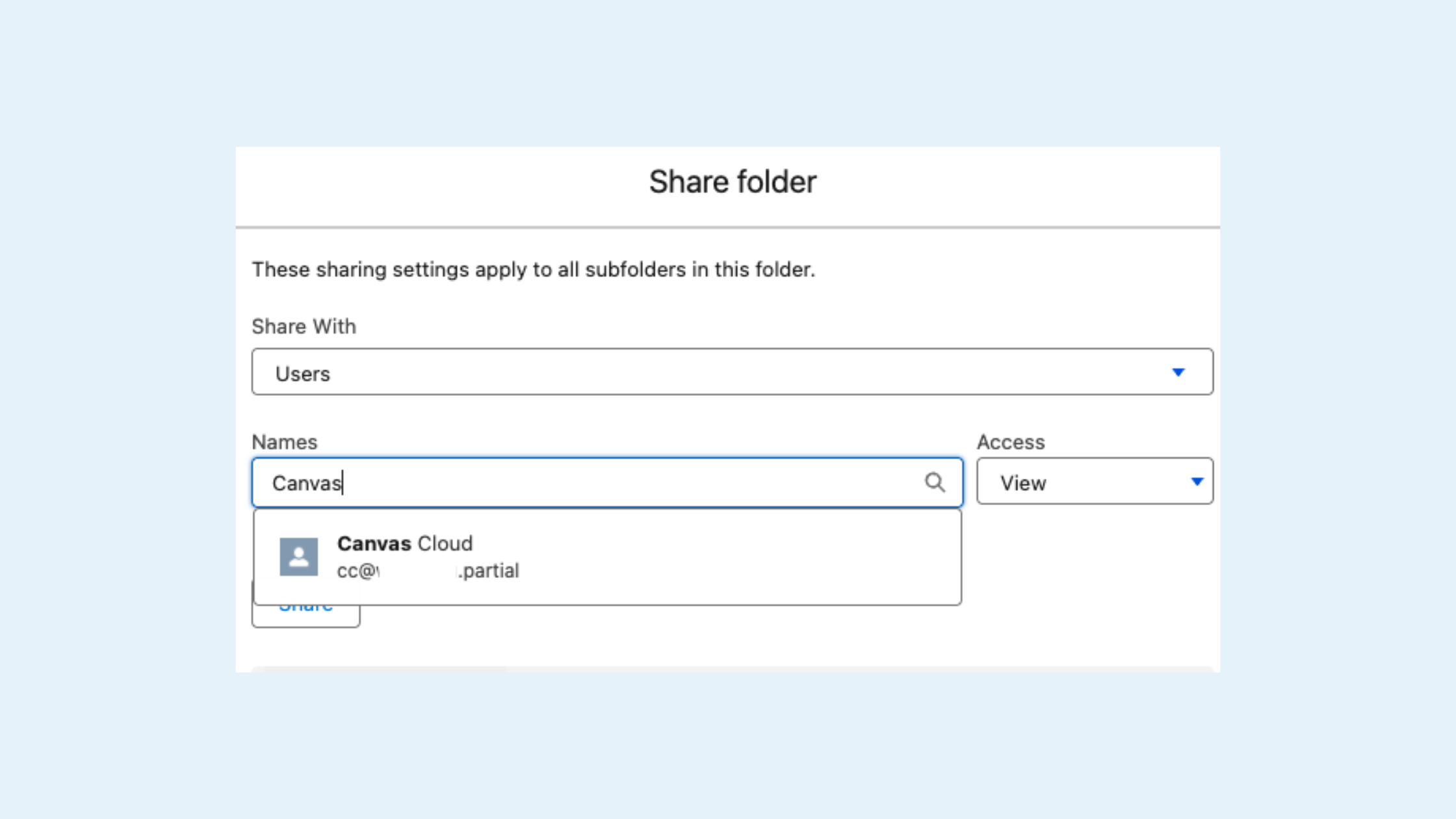
Search by username when sharing report and dashboard folders
My take: Less rework, fewer accidental shares, and more consistency, especially in orgs with similarly named users. Salesforce Release Notes.
6. Screen Flows Finally Look the Way Users Expect
6. Screen Flows Finally Look the Way Users Expect
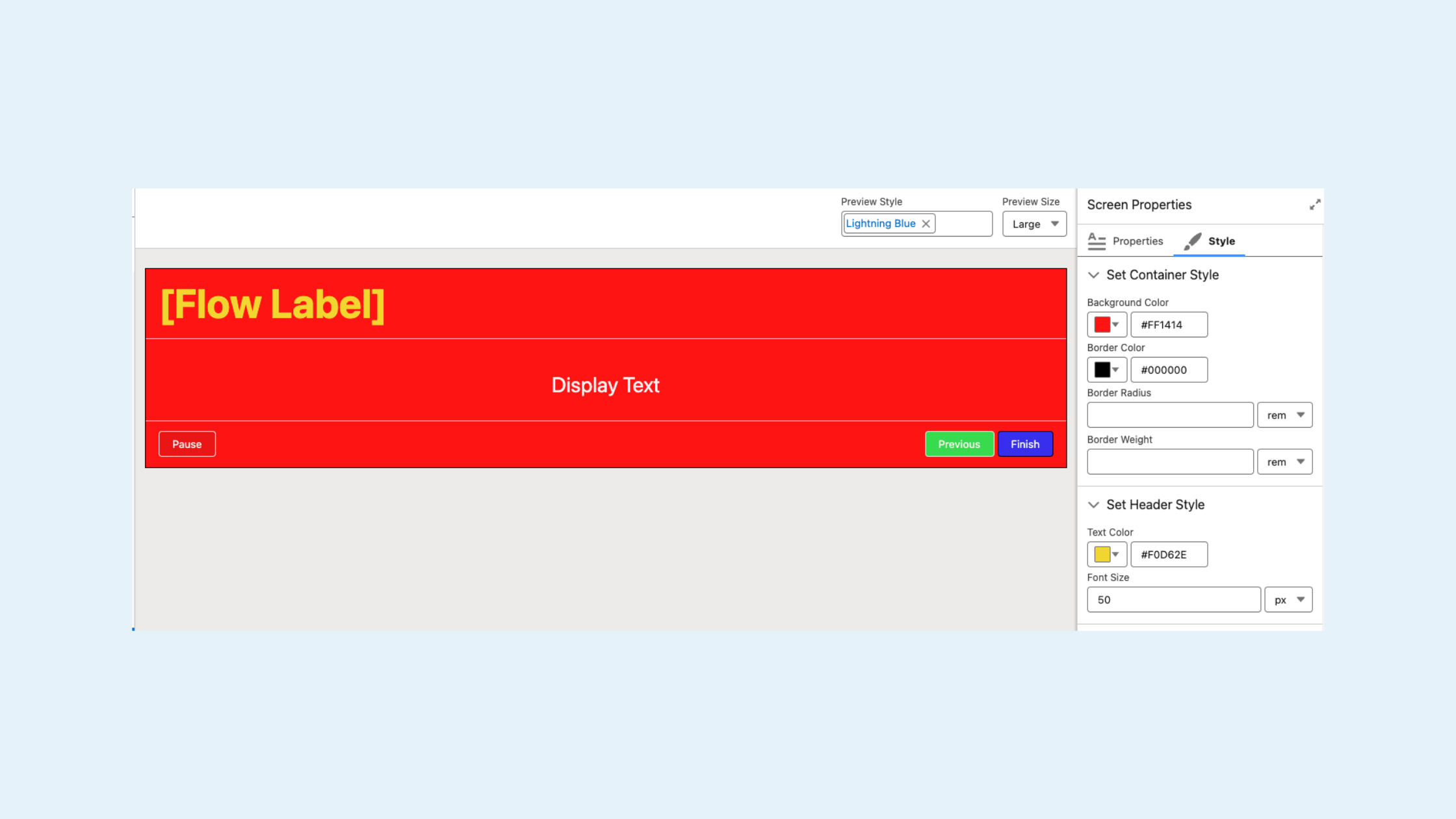
What’s new: Enhanced styling options for Screen Flows:
Background colors
Borders
Fonts
Button colors
My take: Flows no longer have to feel “bolted on.” They can now align with your brand and UX standards, something clients have been asking for a long time. This really helps Experience Cloud sites, internal tools, and any flow used frequently by non-admin users. Salesforce Release Notes.
7. File-Based Automation Is Here!
7. File-Based Automation Is Here!
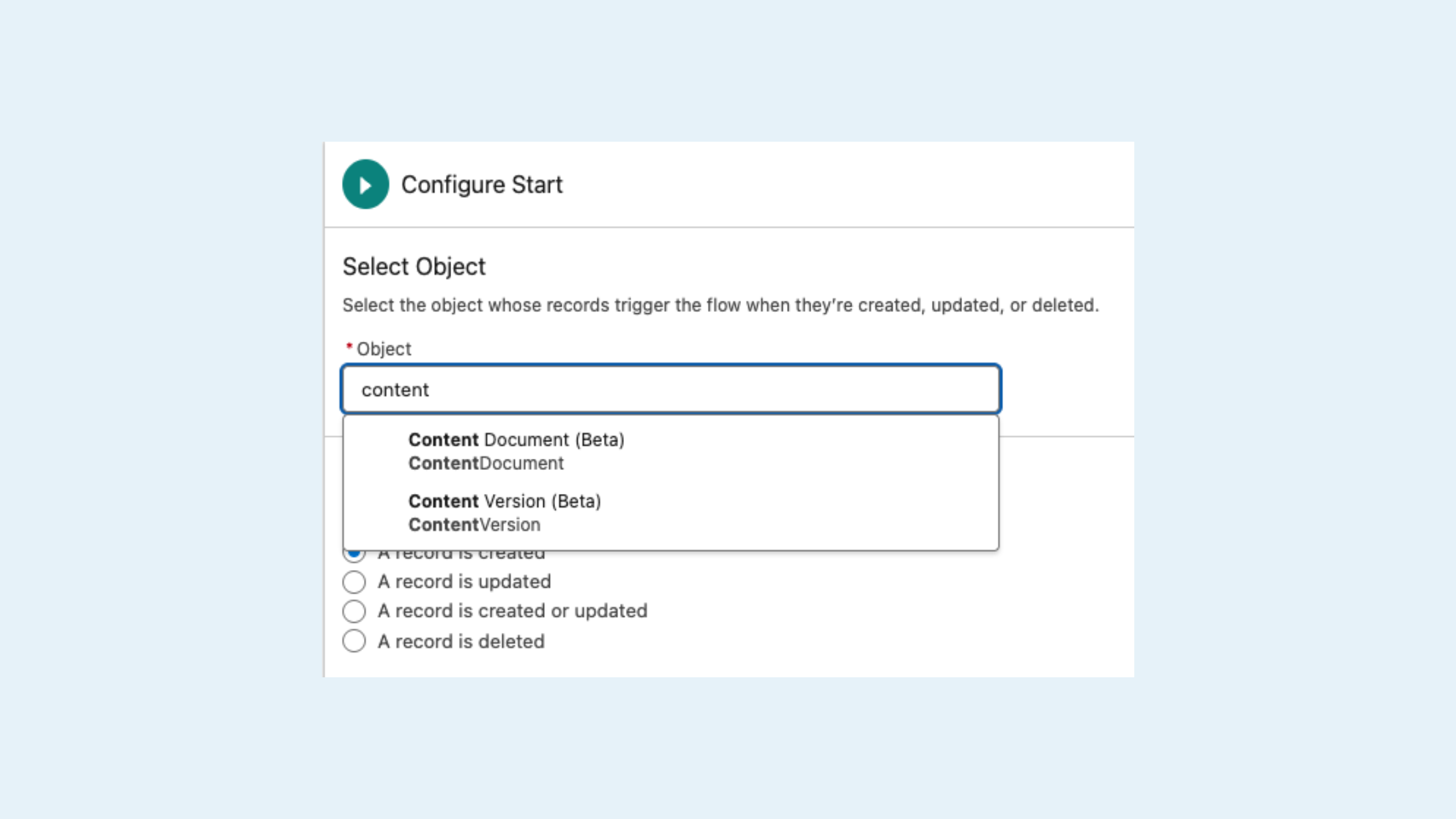
What’s new: Record-triggered flows now support ContentDocument and ContentVersion.
My take: You can finally automate around file uploads:
Trigger reviews when files are added
Enforce naming or categorization standards
Kick off approvals automatically
For example, for a nonprofit uploading grant documents or a sales team attaching contracts, automation can now start at the file level. Salesforce Release Notes.
8. Kanban Boards Inside Flows
8. Kanban Boards Inside Flows
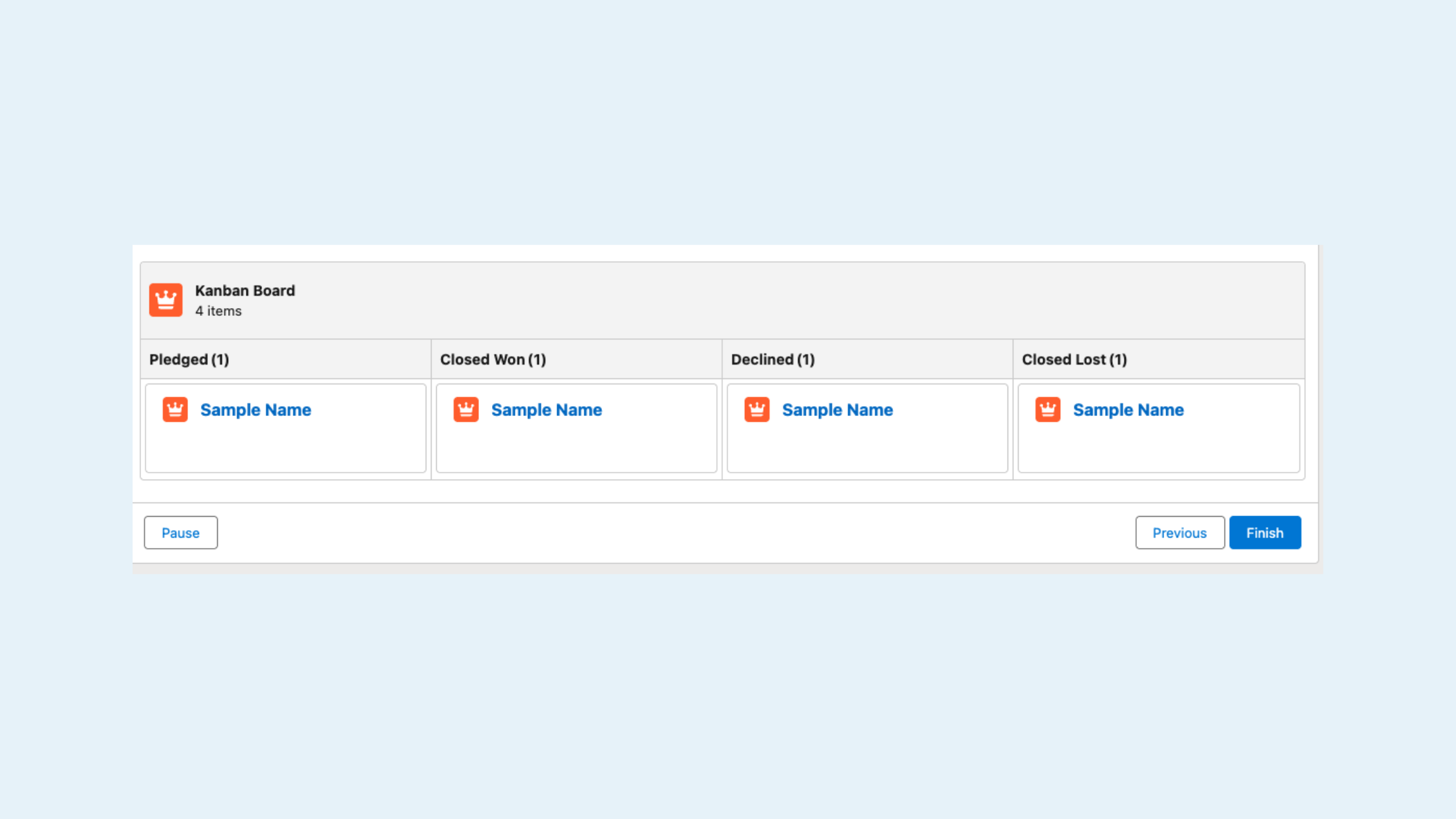
What’s new: Spring ’26 introduces a Kanban Board Screen Component for Screen Flows.
My take: This brings a highly visual, interactive way to review and manage records, without leaving a flow.
Key capabilities I’m excited about:
Group records by Status or Stage
Display totals per column
Show up to five fields per card
Enable interactive review within guided processes
This opens the door to more intuitive approvals, prioritization workflows, and operational dashboards, especially for teams who live in Kanban views. Salesforce Release Notes.
Final Thoughts
Salesforce Spring ’26 isn’t about flashy reinvention, it’s about refinement. These updates reduce friction, improve governance, and give admins and consultants better tools to support growing, evolving organizations.
At Canvas Cloud, this is exactly the kind of release that helps us:
Implement smarter from day one
Optimize existing orgs with less disruption
Deliver more value through ongoing collaborative Salesforce Managed Services
If you’re curious which of these features make sense for your org or want help turning them on the right way, we’re always happy to talk!
About the Author
Christina Lytle is a Salesforce Consultant at Canvas Cloud helping nonprofits and small businesses simplify operations, improve reporting, and get real value from their CRM. Her background in theatre administration shapes a collaborative, detail-driven approach to every engagement. Connect with Christina on LinkedIn.